I've wanted to build this for a long time, and today it's here. King's Descent has a wiki, and it holds everything that is down the stair: all 112 monsters, all 52 magic items, the 17 spells of the king's spellbook, every weapon and piece of armor, all ten floors, and a guide to playing the game.
Every number in it comes straight out of the game's own tables, the same ones the dungeon plays by, so what you read on a page is what you will meet on the floor. Every picture is the game's own art, and every piece of art in the game is in there somewhere. When the game changes, the wiki is rebuilt from it.
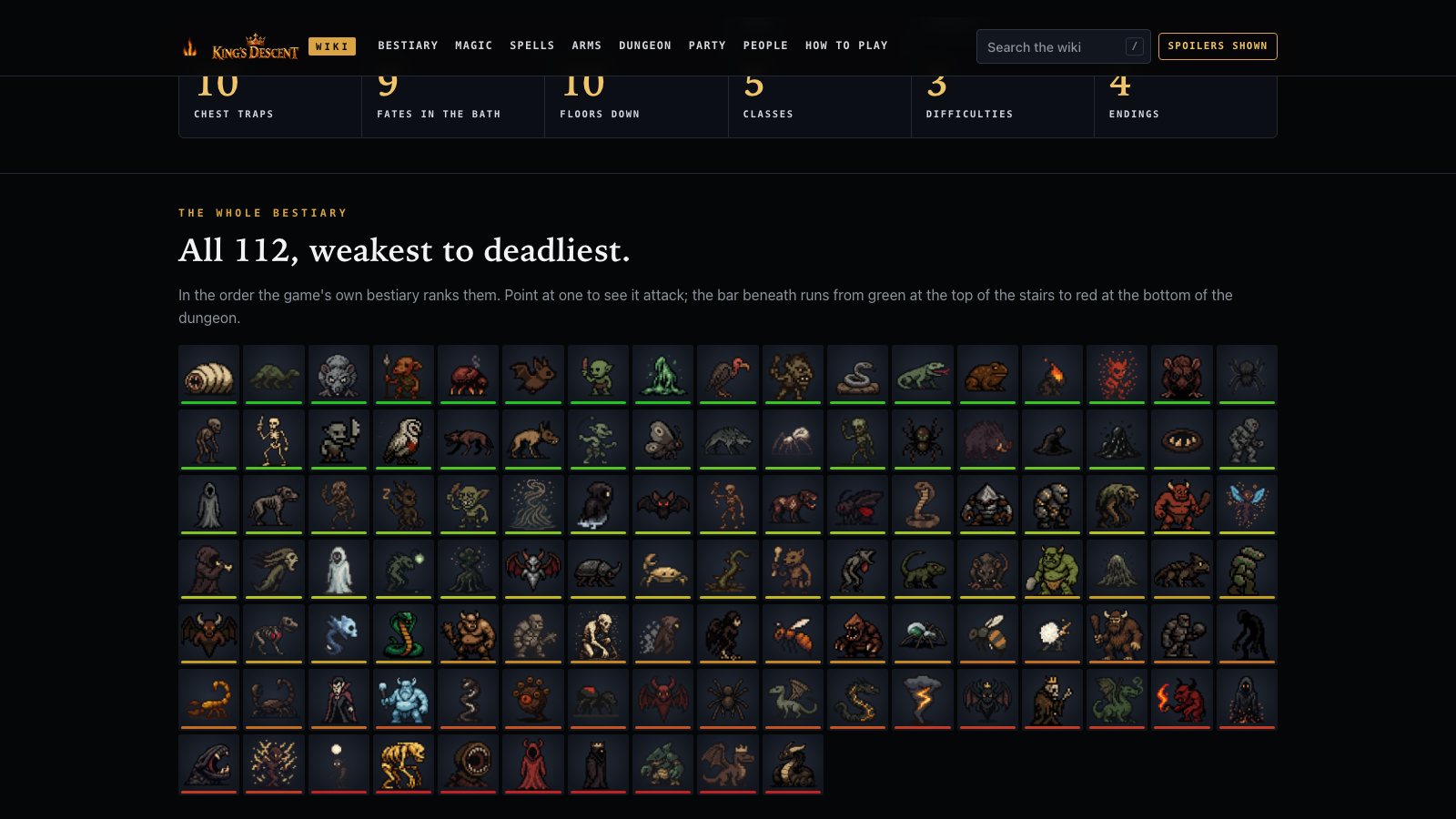
All 112, weakest to deadliest. Point at one and it attacks.
The bestiary
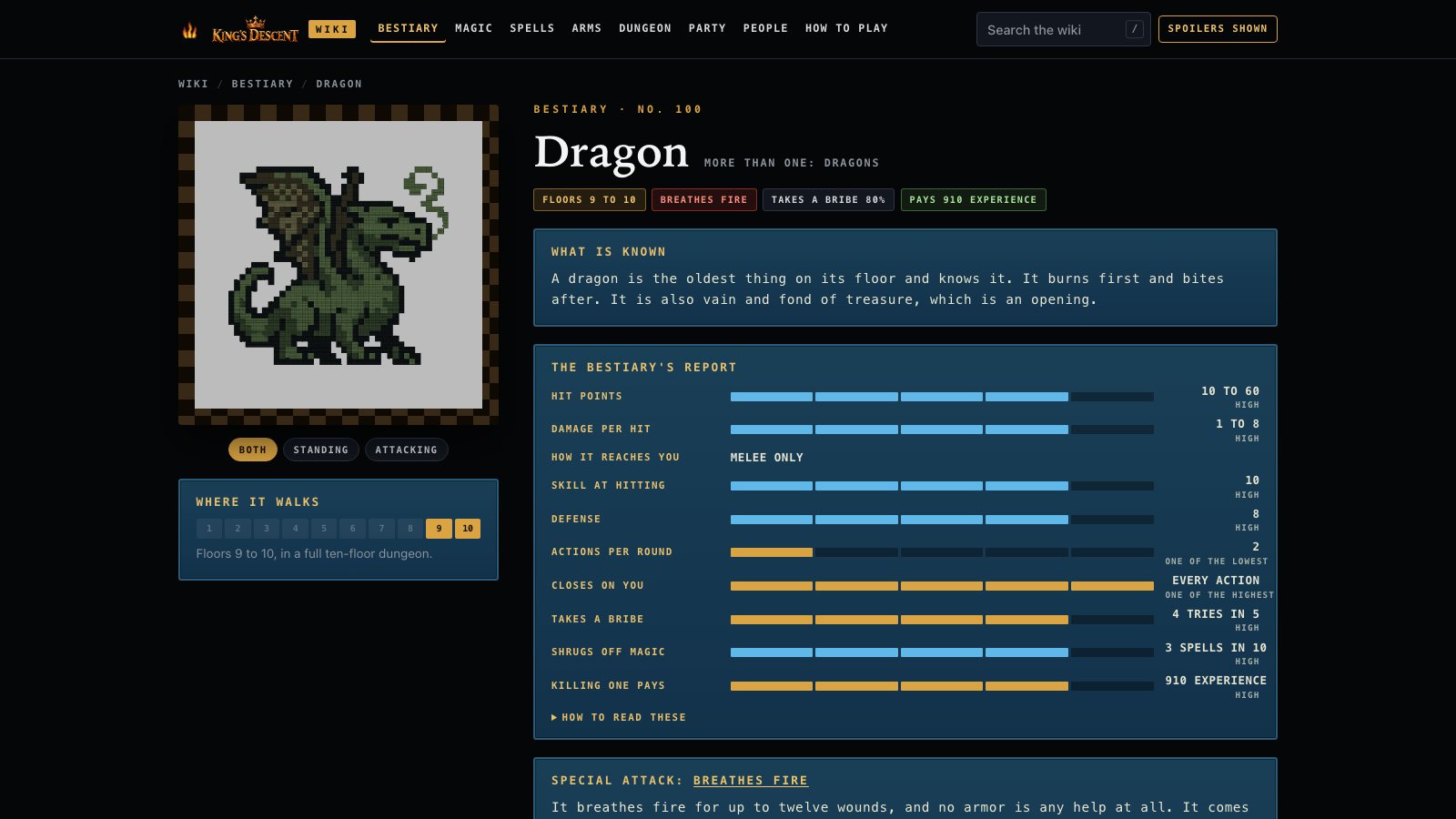
Every monster has a page of its own, with its art standing and striking, what is known about it, its special attack if it has one, and the ten readings the game's own bestiary keeps, from its hit points and how hard it hits to how often it takes a bribe and what killing one pays. The bestiary lines up all 112 and sorts them by toughness, by damage, by speed, by how easily they are bribed or by what they pay. Filter it to one floor and you will see exactly what is waiting there.
The dragon, and everything the game knows about it.
Magic, before and after
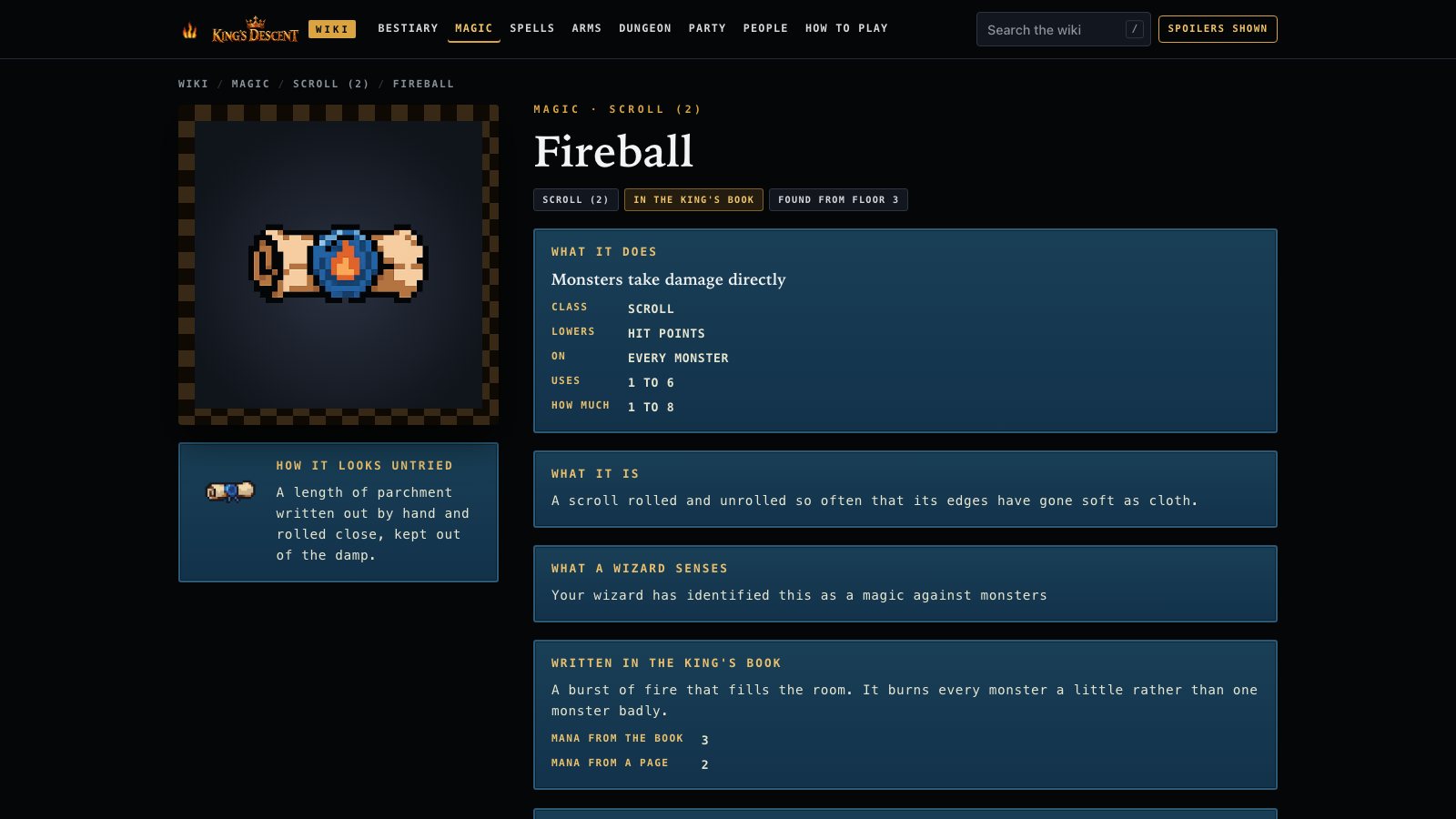
In the game, a magic item is a mystery until somebody dares to use it. The wiki shows you both sides of every one: how it looks untried, and what it really does, how strong it is, who may use it and where it turns up. That includes the cursed ones.
If you would rather find these things out the hard way, press the Spoilers switch at the top of any page. Every secret on every page is hidden until you click on it, and the wiki remembers your choice.
Fireball, as it looks untried and as it really is.
The rest of the dungeon, and how to play
There is a page for every corner of the game: each floor and what lives on it, the traps, the Bath of Fates with the chance of every fate, the Living Statue and its trades, the vaults and their locks, Sixpence's stores, Zahel and the training ground, and the four endings. And there is a guide, built from the game's own manual, with the controls and the strategy tips from the descent card. If you're new to the game, start there.
It works on a phone, a tablet or a computer, and there is a search box at the top of every page. Press the slash key to jump straight to it, and try typing dragon.
Until today, pressing Request Access put you in line for the King's Descent Playtest. As of today there is no line. Press it and Steam lets you in right away.
If you asked earlier and have been waiting, you don't need to do anything. Steam is letting everyone who asked through now, and it will let you know when you're in. The playtest then shows up in your Steam library, ready to install.
Everything else in yesterday's announcement still holds: one request covers Windows and Mac both, and pressing N in the game sends me a note, with a snapshot of the game if you want one. I can't wait to hear what you think.
I'm thrilled to tell you that the King's Descent Playtest is now open on Steam. If you have a Windows PC or an Apple silicon Mac, you can sign up and play the full game, all ten floors, before it comes out. Here is how to join, and how to tell me what you think without ever leaving the game.
How to join
You need a free Steam account and the Steam app. Open the King's Descent page on the Steam store (the button below goes straight there), find the box that says “Join the King's Descent Playtest”, and press Request Access. That one request covers Windows and Mac both. When your access comes through, Steam lets you know and the playtest shows up in your Steam library. Install it from there and start your descent.
On Windows, the game requires Windows 10 or 11, 64-bit. On a Mac, it requires Apple silicon (an M1 or later) and macOS 11 or newer. Beyond that it asks very little: 1 GB of memory and 100 MB of space.
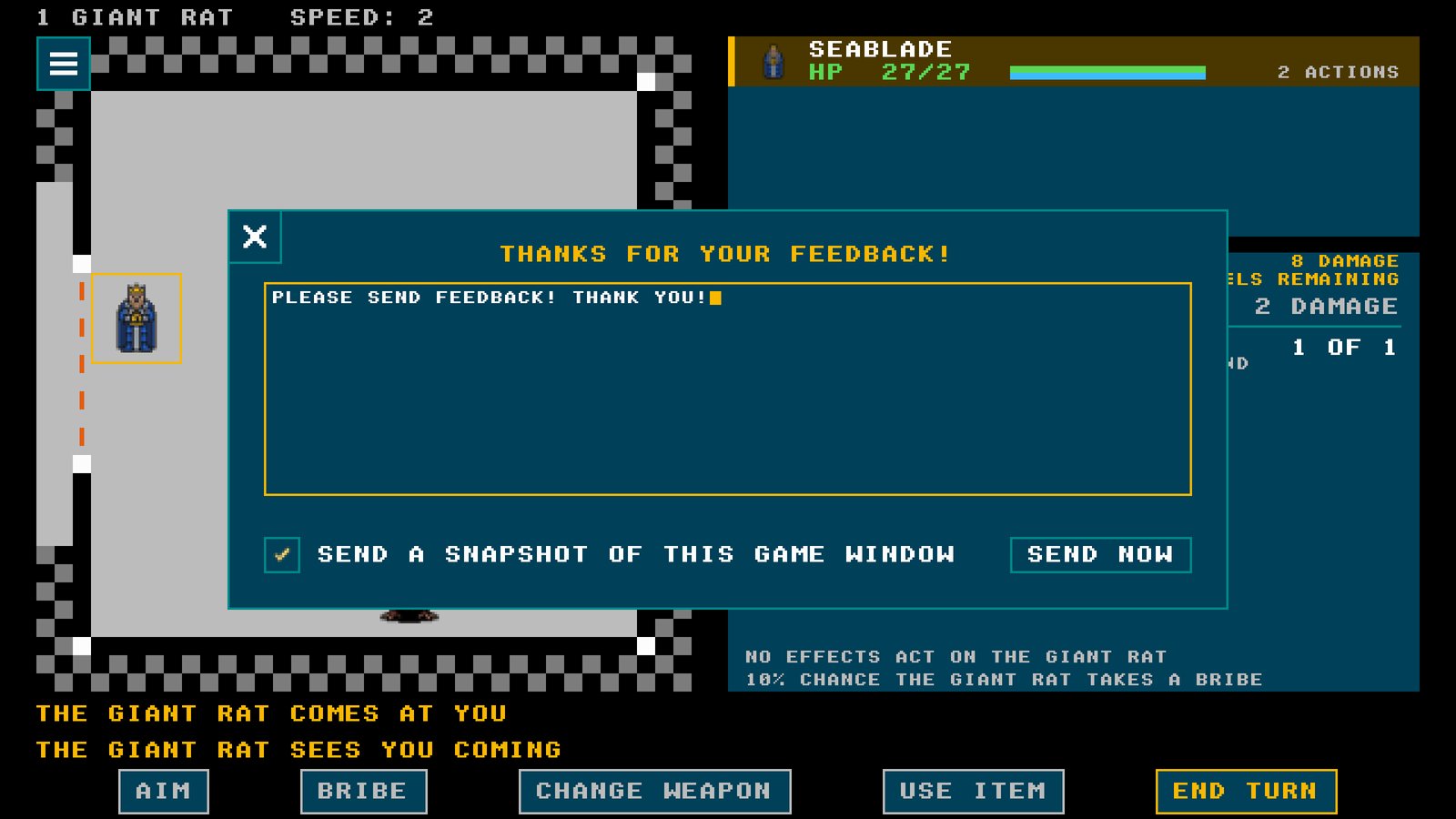
On iPad, TestFlight gives every tester a way to send me a screenshot and a comment. Steam has nothing like it, so I built one into the game. Press N at any time and a panel opens that says THANKS FOR YOUR FEEDBACK! The game waits for you while it is open.
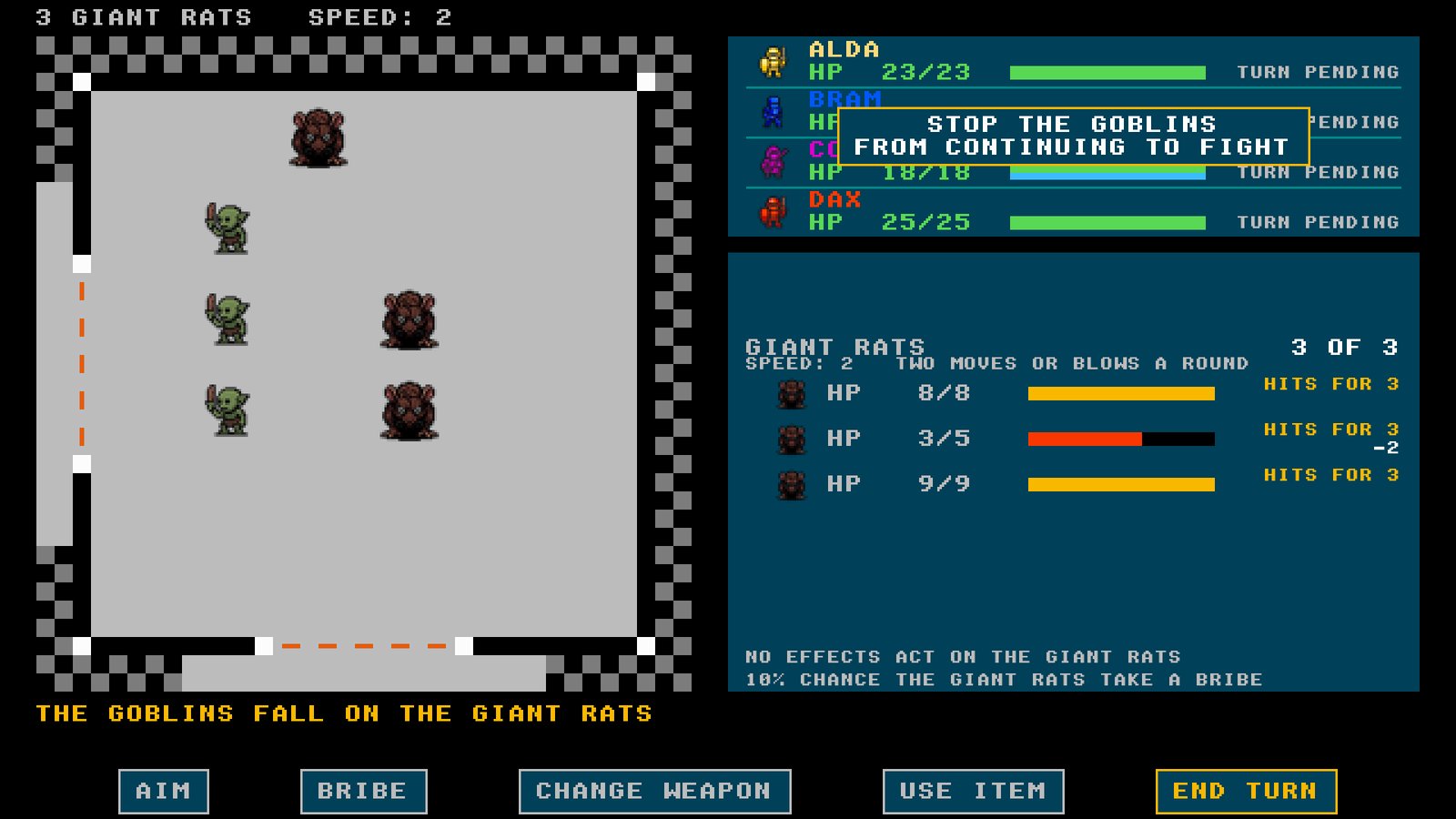
Press N and tell me about it. The giant rat will wait.
Type whatever you want me to know: a bug, a fight that felt unfair, a word that confused you, something you loved. The box beside SEND A SNAPSHOT OF THIS GAME WINDOW is already checked, so a picture of exactly what you were looking at comes along with your words. The picture is the game's own window and nothing else on your screen, and you can uncheck the box if you would rather send words alone. Then press SEND NOW. The game tells you your note is on its way. If you are offline, it waits and goes the next time the game can reach me.
What I'm hoping to hear
Until now the Windows and Mac versions have run on my own machines and hardly anywhere else, so tell me about anything that goes wrong on yours: a crash, a window that looks wrong, a key that does not do what you expect. And tell me everything else too, the same things the iPad testers have been telling me: what is too hard, what is too easy, what got in your way. Their reports made 0.5.0 the game it is, and yours will make the release better still.
Not on Windows or Mac? The full game is still in beta on iPad, and the browser demo still has the first four floors with nothing to download.
I'm really excited to announce that I pushed version 0.5.0 of King's Descent out this morning to the iPad test community. I want to tell you about the “quality of life” features I focused this release on, but first, the latest on the Windows and Mac release on Steam.
King's Descent now has a store page on Steam. Add it to your wishlist and Steam will tell you the day it is out. Wishlists also help a game find its players: Steam shows a game to more people when more are waiting for it, and for a one-person studio that matters. Testing on Steam comes next, and a note here and a mail to the list will announce its availability.
Now, 0.5.0. Nearly all of it came from playtesting: I read every report the testers sent and kept a list of every place the game got in the way of what a player was trying to do. The goal was to make the game more fun to play by clearing those things out of the way, so that once you have a plan, carrying it out is easy.
The summoning stone
I want to start by telling you about my favorite new feature. A group of monsters that takes your bribe may now hand you a summoning stone. Break it in a later fight and those monsters come and fight on your side. So bribe the monsters you would rather have with you, and save the stone for a fight that is going badly.
A summoning stone broken in a fight, and the monsters it held arriving.
The training ground, rebuilt
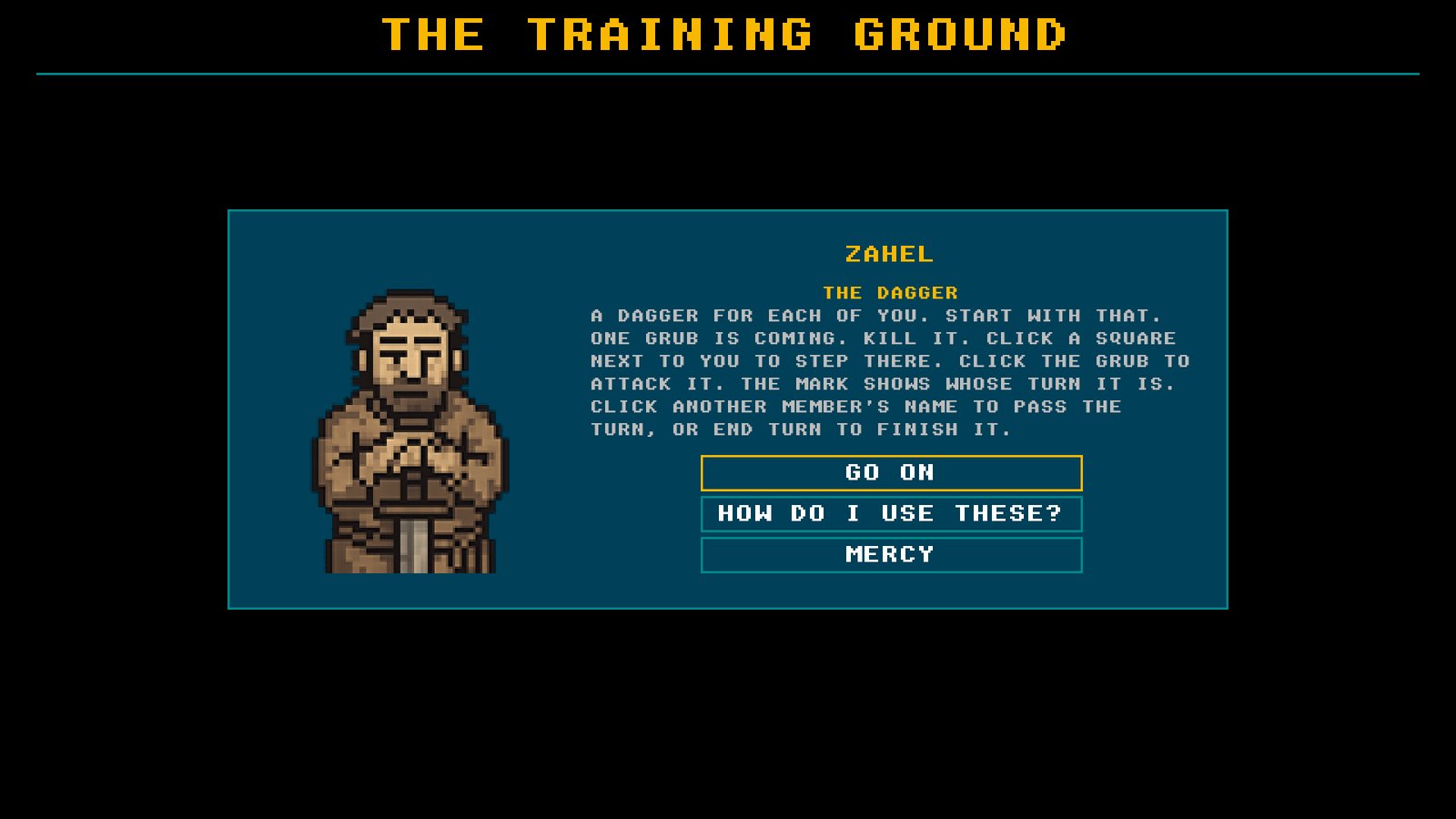
The yard now teaches combat in stages. Zahel walks the party through weapons, then wands, then scrolls, then bribery, in plain English. Every member is restored between stages, so a lesson never costs you anything. Each wave of practice monsters brings armor and shields along with weapons. When the lessons are done, you can keep fighting practice waves for as long as you like. I wanted a new player to learn the fights the way I did, by fighting, without losing a real party to the lesson.
Zahel, teaching in plain English.
Ammunition in a pack
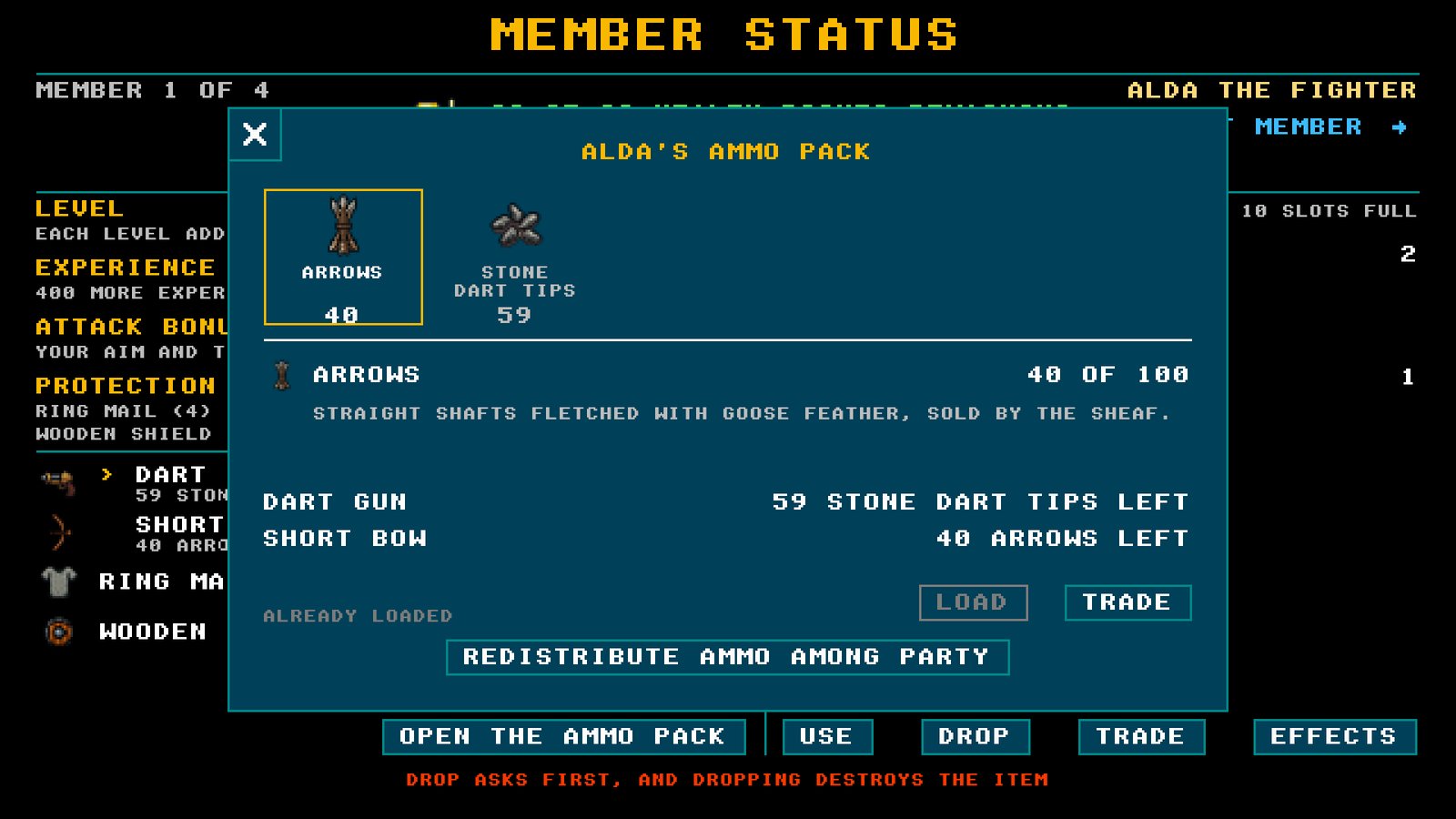
Arrows and dart tips no longer take up a weapon's place. Each member carries them in a pack. A bow or a dart gun reloads itself from the pack, and the pack opens from the member sheet when you want to load a weapon by hand. A found dart gun comes with twenty stone tips, ammunition picked up during a fight is gathered as one bundle, and REDISTRIBUTE now shares ammunition among the members who can fire it. Testers spent too many turns passing arrows around. Those turns are yours again.
The pack, open from the member sheet.
Less friction, everywhere
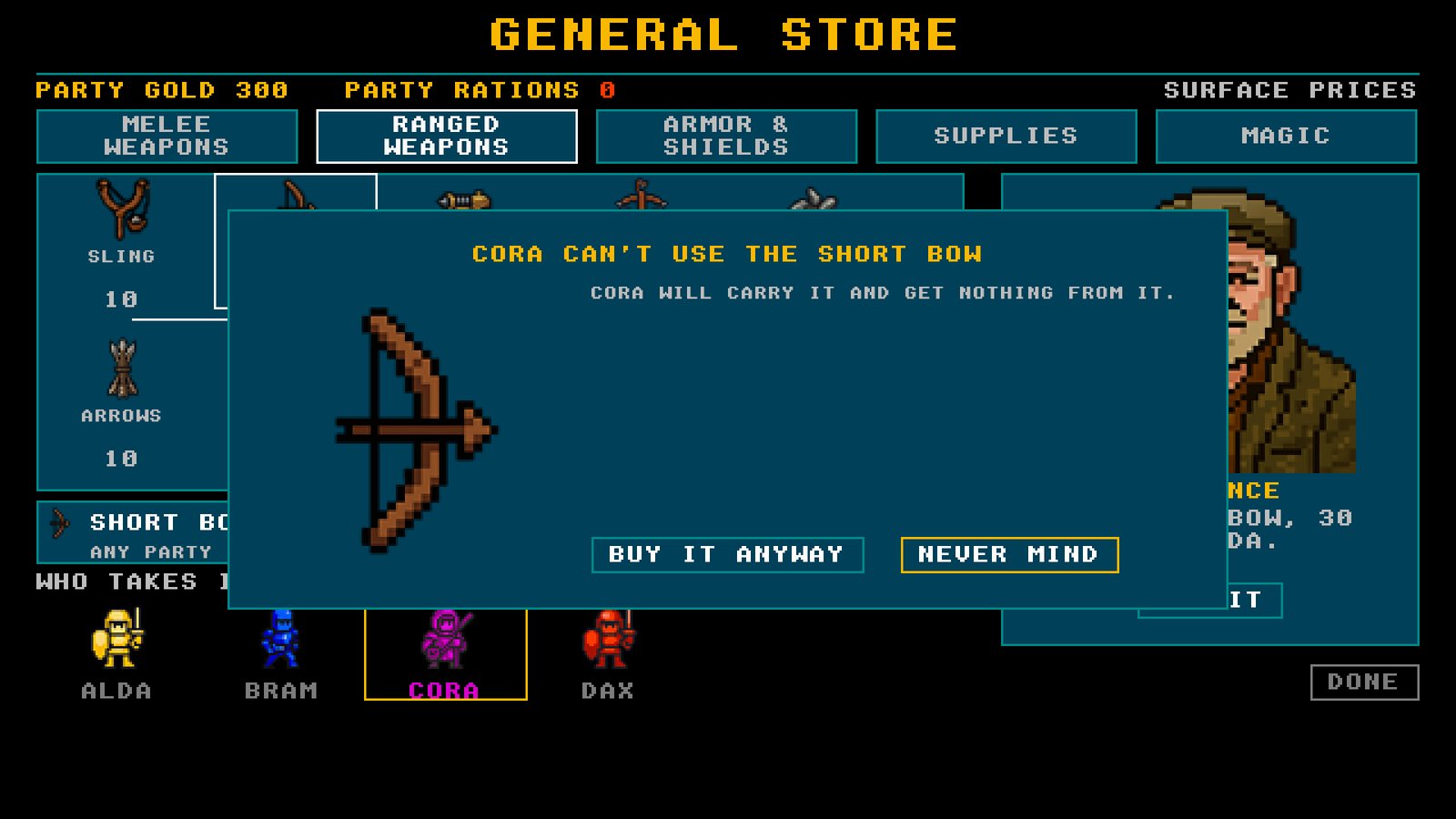
Taking, trading and buying now all work the same way. Any member can hold any item (though use is still class restricted). The game asks before a member takes something that member cannot use. When a member's hands are full, the game shows everything that member is carrying and lets you choose what to drop. REDISTRIBUTE works at the store counter too.
The store asks first when a member cannot use the thing.
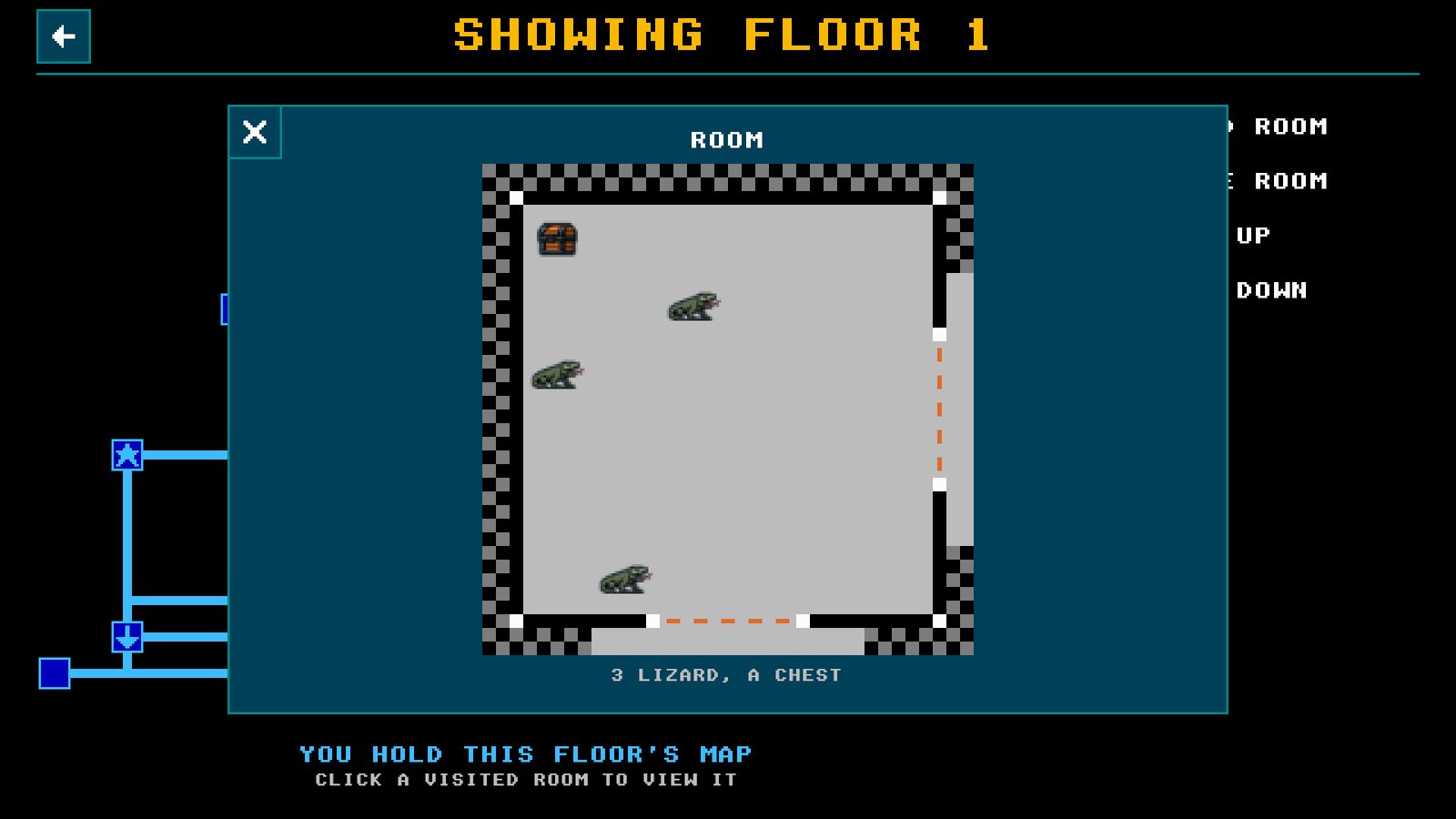
Have you ever forgotten where you left that ALERTNESS BOW you meant to come back for, or which monsters are in the room you visited but did not clear? On the map, touch a room you have visited or been told about and a picture of it opens, showing what is inside. A room you have not found yet says so.
A room on the map, opened to show what is inside.
The rest of 0.5.0 is balance changes and bug fixes, most of them from tester reports on the last build. There were a lot of reports. Thank you for them.
Where to play it
The full game is in beta on iPad, and anyone can join: open the TestFlight link on your iPad and Apple walks you through the rest. A save from 0.4.0 will not load in this version, so start a new game. The browser demo has the first four floors and needs no download (I like to play it on my Tesla screen when I'm charging). Windows and Mac are coming to Steam, with a round of testing first. Wishlist the game there, or sign up on the front page, and I will tell you the day it opens.
We're close. At this point I consider the game feature complete. What is left is quashing the last of the bugs and balance problems, so keep that feedback coming. Every report makes the game better, and I read every one.